


Your kid asks for the tablet. Again. You say yes because you need ten minutes of peace. Then ten minutes turn into an hour, and guilt sets in.
Sound familiar?
Screens are not going anywhere. Fighting them does not work. What works is having clear, realistic screen time rules for kids that fit your actual life.
This guide walks you through building a framework that sticks.
You’ll learn what screen time really means today, how to set rules by age, ways to adapt for your family type, and a simple seven-day plan to reset habits.
What Screen Time Means in Modern Family Life
Screen time is not just about hours spent on devices anymore. It includes everything from watching videos to video calls with grandparents.
Today’s families deal with phones, tablets, computers, and TVs daily. Setting screen time rules for kids means understanding what they do online, not just how long they stay on screens.
A child watching educational videos learns differently from one scrolling endlessly. The type of content, time of day, and how kids interact with screens all matter. Good rules focus on balance rather than strict bans.
Types of Screen Use and Quality Factors
| Type of Screen Use | Examples | Why Quality Matters |
|---|---|---|
| Passive Entertainment | TV shows, YouTube, streaming | Little mental engagement; can become a mindless habit |
| Interactive Learning | Educational apps, coding games, creative programs | Builds skills and keeps the brain active |
| Social & Gaming | Video calls, multiplayer games, messaging | Strengthens bonds but disrupts sleep if used late |
| School Use | Online homework, research, virtual classes | Necessary for learning, but needs screen breaks |
| Sleep & Behavior Impact | Blue light, stimulating content, screen timing | Screens before bed harm sleep; content affects mood and focus |
How to Build Screen Time Rules That Actually Stick

Creating screen time rules for kids does not have to feel overwhelming. The key is building a simple framework that your whole family can follow and understand easily.
Step 1: Establish Non-Negotiable Priorities
Start with what cannot be compromised in your home. Sleep comes first because tired kids struggle with focus and mood.
School responsibilities must be completed before screens turn on. Physical activity and family meals need protection from constant interruptions.
Step 2: Set Clear Boundaries for Time and Place
Decide where screens do not belong in your house. Bedrooms, dining tables, and car rides often work better as screen-free zones.
Choose specific times when devices stay off, like during homework hours, the first hour after waking up, or the last hour before bed.
Step 3: Define Content Expectations
Not all screen time is equal, so talk about what your kids can watch or play. Age-appropriate content keeps younger children safe from scary or mature themes.
Balance educational apps with entertainment so learning stays part of screen use. Discuss online safety, especially when games or apps have chat features or stranger contact.
Step 4: Choose a Rule Model That Fits Your Family
Pick a system that matches your parenting style and household needs. Daily time limits work well for structure-loving families who prefer consistent routines.
Weekly screen budgets give older kids freedom to manage their own time. The “responsibilities first” approach rewards completed chores and homework with earned screen access.
Step 5: Create a Visible Family Agreement
Write down your rules so everyone can see and remember them clearly. Use simple words that even young children can read and understand.
Include what happens when rules get broken, so consequences never feel like surprises. Keep expectations the same every day to avoid confusion or arguments.
A Simple One-Week Screen Time Reset Plan
You do not need to change everything at once when setting screen time rules for kids. This seven-day plan helps you build new habits gradually without overwhelming your family.
| Timeline | Action Steps |
|---|---|
| Days 1–2: Observe and Set Foundation | Watch current screen habits. Choose two basic rules, like no devices at meals. |
| Days 3–4: Add Structure | Introduce specific screen windows. Post the schedule where everyone can see it. |
| Days 5–7: Finalize Agreement | Add content guidelines. Write down all the rules and discuss the consequences together. |
Screen Time Rules by Age Group

Every age needs different screen time rules for kids. What works for a toddler will not work for a teenager, so adjust your approach as children grow.
1. Infants and Toddlers (0-2 Years)
Babies and very young children should have almost no solo screen time. Video calls with family members are fine when you sit with them. At this age, real-world play and face-to-face interaction matter most for brain development.
- Caregiver-Guided Exposure: Always stay present during any screen activity. Talk about what you see together and make it interactive.
- Limited and Intentional Use: Keep screen time to under 15 minutes and use only for specific purposes, such as video calls.
2. Preschoolers (3-5 Years)
Limit screen time to 30-60 minutes per day with high-quality programs only. Choose shows that teach letters, numbers, or social skills. Sit with your child and talk about what you watch together to boost learning.
- Short, Structured Viewing Windows: Set specific times for screen use, such as after lunch or before dinner.
- Transition Strategies: Give a 5-minute warning before screens turn off. Use timers or songs to help children prepare.
3. Elementary-Age Children (6-10 Years)
Set clear weekday limits, like 1-2 hours after homework and chores finish. Encourage outdoor play or hobbies before device access. Teach kids to recognize when they feel tired or cranky from too much screen exposure.
- Clear Weekday Structure: Create a daily schedule outlining when screens are allowed and post it in a visible location.
- Gaming and Homework Balance: Require completion of schoolwork before any entertainment screens are turned on.
4. Tweens (11-12 Years)
Start giving limited freedom while still checking what they watch and play. Discuss why some games or apps have age restrictions. Let them earn extra screen time on weekends through good choices during the week.
- Independence with Monitoring: Let them choose some content, but review their choices weekly without being controlling.
- Introduction to Social Interaction Rules: Teach them to recognize red flags, such as strangers asking personal questions or requesting photos.
5. Teens (13-18 Years)
Talk openly about how social media affects self-esteem and anxiety levels. Allow more independence, but check in regularly about mental health. Create trust-based agreements that respect their growing maturity while keeping them safe.
- Focus on Sleep Protection and Mental Well-Being: Require phones to be out of bedrooms at least 30 minutes before bedtime.
- Social Media Boundaries and Trust-Based Rules: Create agreements for them to report problems like cyberbullying or uncomfortable messages.
Pros and Cons of Screen Time Rules for Kids
Setting screen time rules for kids comes with both benefits and challenges. Understanding both sides helps you create a plan that works for your family.
| Pros | Cons |
|---|---|
| Encourages healthy routines and sleep patterns | Requires consistency from adults |
| Reduces daily power struggles | Initial resistance from children |
| Supports emotional regulation and focus | Needs regular adjustment as children grow |
| Helps children build self-control skills | Can feel restrictive if rules are unclear |
| Creates shared family expectations | May cause conflict between siblings with different limits |
Adapting Screen Time Rules for Different Family Situations
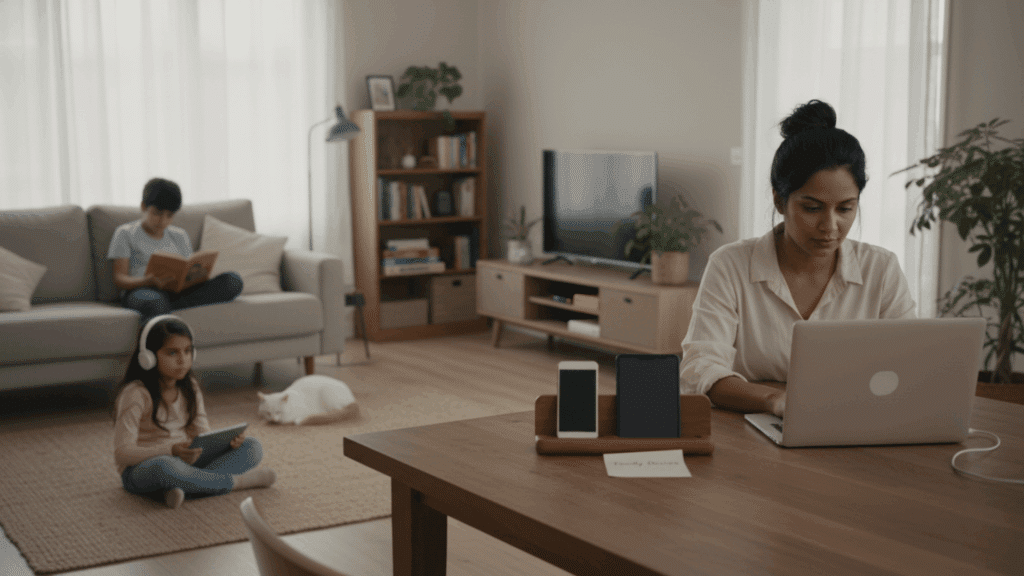
Not every family looks the same, and screen time rules for kids should fit your unique situation. Here are ways to adjust your approach based on how your household works.
- Dual-Working Households: Set the same screen schedule every weekday and use automatic timers to enforce limits when you cannot monitor constantly.
- Work-From-Home Parents: Post a daily visual schedule showing work hours and screen windows so kids know when you are available without repeatedly asking.
- Neurodivergent Children: Keep core rules consistent but allow flexibility on hard days, and choose calming content over overstimulating shows or games.
- Co-Parenting Families: agree on basic rules that apply in both homes and align with bedtime routines, so kids adjust better between households.
- Multi-Age Households: Apply the same basic principles to everyone but adjust time limits and content access based on age, not favoritism.
How to Know When to Adjust Screen Time Rules?
Screen time rules for kids are not set in stone and should change as your family grows. Watch for warning signs that your current plan is not working.
Sleep problems like trouble falling asleep or waking up tired often mean screens are on too late. Mood swings, irritability, or sudden behavioral changes can signal excessive screen exposure.
If your child starts hiding devices, deleting history, or being secretive about online activity, trust has broken down.
Finally, when kids lose interest in sports, hobbies, or playing outside, screens take up too much of their lives. Any of these signs means it is time to sit down and rework your rules together.
The Bottom Line
Screen time rules for kids do not need to be complicated or perfect. Start with two simple rules and build from there. Focus on what matters most: sleep, family time, and real-world connections.
Remember that every family is different, so what works for your neighbor might not work for you.
The key is consistency, not perfection. Your rules will change as your kids grow, and that’s okay. What matters is creating a healthy balance between online and offline life.
Ready to take action? Pick one rule from this guide and start today. Write it down, share it with your kids, and stick to it for one week. Small changes create big results.
What screen time challenge are you facing right now? Share your thoughts in the comments below.