
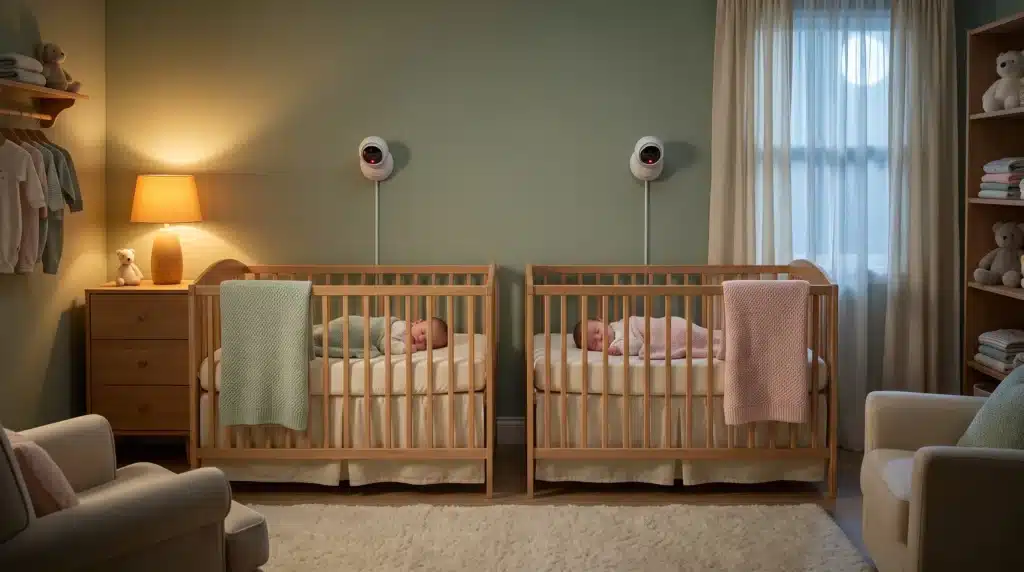
Parents of twins quickly learn that one feed, one crib, and one set of ears is never enough. At 2 a.m., when both babies stir in different corners of the room, a single-lens monitor forces you to guess which child needs you first.
A purpose-built baby monitor for twins should show both sleep spaces at once, not make you toggle between views while half asleep.
Most monitors on the market still assume one child. That gap shows up in daily use long before the spec sheet feels wrong. This guide focuses on twin-specific setup decisions—dual feeds, alert labeling, and room growth—so you avoid the blind spots that turn a helpful tool into another source of stress.
Why One Camera Rarely Works for Two Cribs
Twins may share a nursery early on, but they rarely stay in identical positions. One baby rolls toward the rail while the other stays centered. A fixed camera aimed at the middle of the room often misses the edge of at least one crib.
Single-camera systems also create decision fatigue. You see motion, but not always where it started. Parents either walk in more often than necessary or delay a check because the picture is ambiguous. Neither outcome helps sleep.
The practical fix is planning for two lenses from day one, even if both cribs start side by side. Expansion beats replacement six months later when nap schedules split across rooms.
Split-Screen vs Toggle: Pick Your Nighttime Style
Dual-camera monitors usually offer one of two viewing modes:
- Split-screen shows both feeds on one display at reduced size.
- Toggle mode switches between full-size views with a tap or button press.
Split-screen suits parents who want constant awareness of both babies without interaction. The trade-off is smaller images, which can make fine details harder to read on a phone or compact parent unit.
Toggle mode keeps each picture larger, which helps during groggy checks. It works well when only one child is active at a time, but adds a step when both stir together.
Test both modes in dim light before you rely on them overnight. What looks fine on a bright phone screen may feel cramped at arm’s length in the dark.
Label Feeds and Alerts Before the First Long Night
Generic camera names like “Camera 1” become useless when a push notification arrives at 3 a.m. Rename feeds by crib location or child nickname during setup, not after alert fatigue sets in.
Independent alert channels matter too. Shared thresholds can blur two very different sleep patterns into one noisy stream. If your system allows per-camera sensitivity, calibrate each side over three nights rather than copying defaults from a single-baby guide.
For households with two caregivers on rotation, enable notifications on both phones plus the parent unit when available. Handoffs fail quietly when only one device receives alerts.
Plan for Rooms, Not Just the Newborn Layout
Twins do not stay in one configuration. Shared nursery today can become split naps in different rooms within a year. A monitor that supports multiple cameras on one account—but chokes on range or app switching—will feel obsolete faster than the hardware wears out.
Before mounting anything permanently, walk your home with the parent unit or phone at the farthest spots you expect to use. Note where video stutters or drops. That walk test matters more for multi-room twin setups than open-plan range claims on a product page.
If you rely on Wi-Fi feeds, confirm how the app behaves when your router reboots. Dedicated radio-frequency systems may trade app flexibility for steadier same-floor performance in older homes with thick walls.
Mounting and Cabling for Two Sleep Zones
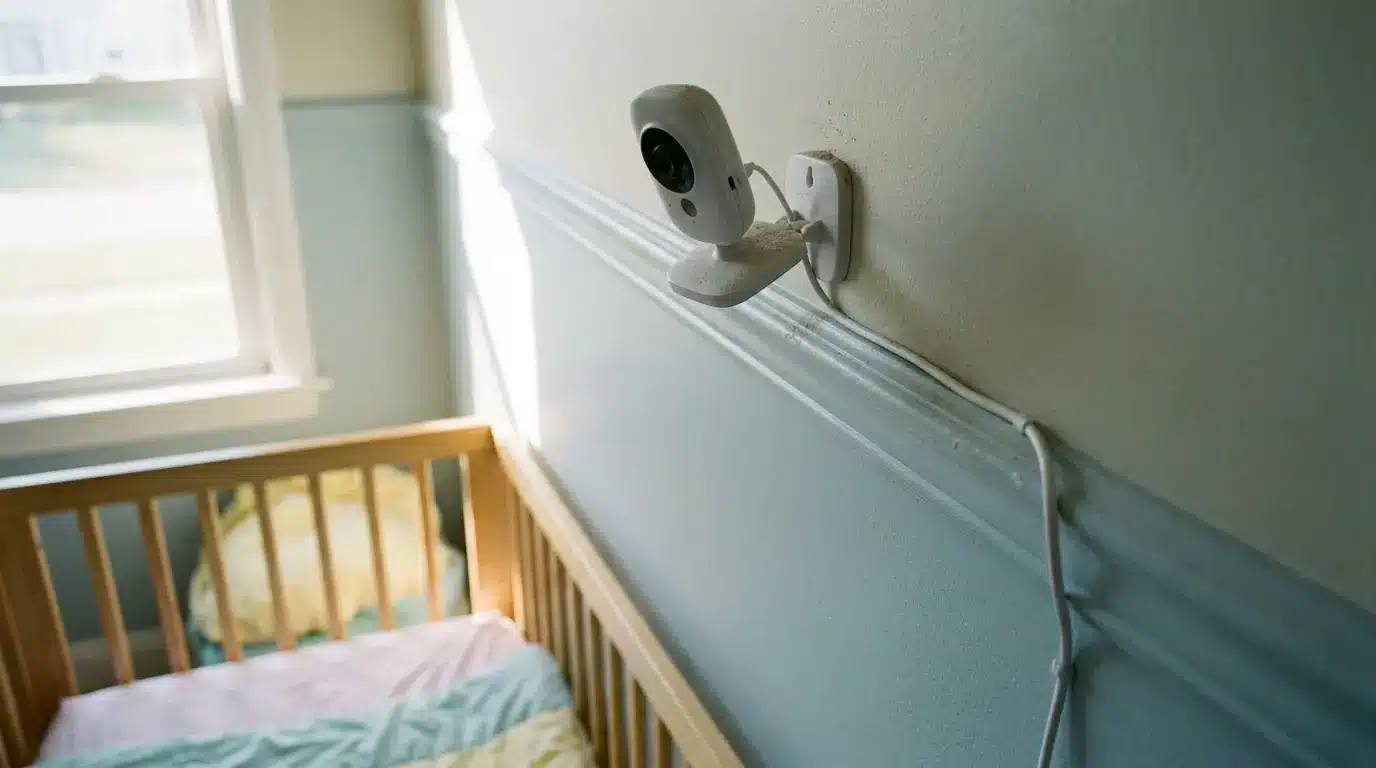
Each crib deserves its own downward angle, roughly three to five feet above the mattress, capturing the full sleep surface without pointing across the room. Wireless cameras simplify placement when cribs sit on opposite walls.
Cord safety applies twice over. Route cables high and along walls, well out of reach once either baby can pull up. Two cameras mean twice the temptation to “temporarily” drape a wire—plan mounts so shortcuts are not needed.
Night vision should be checked on both units. It is common for one camera to look crisp while the second shows grainy low-light video because of angle, distance, or lens smudges.
Alerts That Help Instead of Exhaust
More sensors do not automatically mean better sleep for parents. Motion and sound alerts tuned too aggressively on two feeds can double false wake-ups. Start at manufacturer defaults, then adjust one camera at a time based on each baby’s normal sounds.
Temperature and humidity readouts, when available, add context for shared nurseries where one side of the room runs warmer. Treat them as supporting data, not primary alert triggers, unless your pediatrician advises otherwise.
Battery reminders for parent units and camera bases deserve a weekly check. Twin monitoring doubles the chances that one device dies mid-shift if charging routines slip.
A Practical Pre-Purchase Checklist
- Confirm the system supports two cameras natively, not only through awkward workarounds.
- Verify split-screen or fast toggle behavior on the device you will use at night.
- Rename feeds and test push notifications from another room before day one.
- Run a range walk test with both cameras powered on.
- Compare night vision on each lens in a dim nursery.
- Review app permissions and password settings if the monitor uses home Wi-Fi.
These steps take an hour upfront and prevent the slow frustration of discovering limits after return windows close.
Where to Go Deeper on Twin Monitor Pitfalls
Common mistakes—under-sizing camera count, ignoring multi-room growth, and settling for passive alerts—show up in almost every twin household eventually.
For a structured walkthrough of those pitfalls, including contact-free options and smart notification tuning, this guide on choosing a baby monitor for twins maps each mistake to practical fixes.
Pair that framework with hands-on testing in your own nursery layout, and the decision becomes less about feature lists and more about whether both children stay visible on ordinary nights.
Bottom Line
Twins need monitoring that respects two independent sleep spaces from the start. Prioritize dual visibility, clear alerts, and a setup that can follow your family as rooms and routines change. Get those basics right, and the monitor stays a quiet helper instead of another midnight puzzle.
Take the first week to label feeds, tune sensitivity separately, and learn each baby’s normal patterns on screen. That small investment pays off in fewer unnecessary trips and calmer handoffs between caregivers.